Offshore 1
$3.09/ month
3 mo $8.346 mo $14.8312 mo $25.95
- 1 vCPU
- 1 GB RAM
- 20 GB NVMe
- 2 TB traffic
Guide · Freqtrade, Hummingbot, Jesse
Move your bot to a Linux server that stays on, with an IPv4 address that is yours alone, paid in USDT or another coin: crypto is the only way to pay. What each project asks for, a Freqtrade install with Docker, API key rules from Kraken and Binance, and a way to measure latency to your exchange yourself.
The short version
A VPS for a crypto trading bot keeps Freqtrade, Hummingbot or Jesse running while your own computer is off, from one fixed address. Freqtrade asks for 2 GB of RAM, 1 GB of disk and 2 vCPU, which Global 4 (2 vCPU, 4 GB, $6.39 a month) covers. Every Nymhost VPS has a dedicated IPv4 you can whitelist on your exchange API key. Plans are Linux only, so MetaTrader and other Windows terminals are out. Nymhost publishes no latency figures: test the exchange API from a 1-month VPS before you rent for longer.
A trading bot has to stay connected to an exchange API day and night. On a home computer, an update reboot, a power cut or a closed laptop stops it, sometimes with a position open. A crypto trading bot VPS gives you:
It does not make the bot faster by itself. Nymhost publishes no latency measurements, and a nearer city helps only if the exchange answers from there: measure it from your own VPS. There are also no backups, no DDoS protection beyond the default filtering of the data center network, and cryptocurrency mining is forbidden on every plan.
Two cases need no Nymhost VPS. MetaTrader and other terminals built for a Windows desktop: Nymhost sells Linux only, with no Windows and no RDP. And cloud bot services such as 3Commas, which you link to your exchange with API keys; 3Commas says its automation runs 24/7 even when you are offline, so there is nothing for you to host.
These are the figures each project publishes, not a host's estimate. Hummingbot counts per instance, so two bots need twice the memory. Live or paper trading with Jesse needs a license key for its official plugin.
| Software | RAM | Disk | CPU | Nymhost plan that meets it |
|---|---|---|---|---|
| Freqtrade, one bot | 2 GB | 1 GB | 2 vCPU | Global 4 or Offshore 4 |
| Hummingbot client, per instance | 4 GB | 5 GB | 1 vCPU or more | Global 6 for one instance |
| Condor with the Hummingbot API, minimum | 4 GB | 10 GB SSD | 2 vCPU | Global 4 at the limit, Global 6 with headroom |
| Condor with the Hummingbot API, recommended | 8 GB | 20 GB SSD | 4 vCPU | Offshore 8 or Global 8 |
| Jesse, light live trading | 2 GB | 30 GiB to start | 2 cores | Global 4 or Offshore 4 |
Size the plan for every bot you run at once, plus Docker and logs. The vCPU are shared cores, and Freqtrade's hyperopt page warns that the search takes every CPU core and a lot of memory: run backtests and hyperopt on your own computer, then copy the strategy to the VPS. Traffic quotas count outgoing data only, which a bot uses little of, and going over never triggers an automatic charge.
| Use | Plan | vCPU / RAM / NVMe | 1 month | 12 months |
|---|---|---|---|---|
| One Freqtrade or Jesse bot | Global 4 | 2 / 4 GB / 65 GB | $6.39 | $53.67 |
| The same in an offshore city | Offshore 4 | 2 / 4 GB / 80 GB | $8.19 | $68.79 |
| One Hummingbot instance | Global 6 | 2 / 6 GB / 120 GB | $9.59 | $80.55 |
| Condor with the Hummingbot API, or two Freqtrade bots | Offshore 8 | 4 / 8 GB / 160 GB | $13.49 | $113.31 |
| The same in the US, London or Frankfurt | Global 8 | 4 / 8 GB / 160 GB | $19.19 | $161.19 |
Offshore plans run in Amsterdam (both ranges), Reykjavik, Zurich and Bucharest; Global plans in New York, Dallas, Los Angeles, London, Amsterdam and Frankfurt. See every plan, city and rental length.
Freqtrade recommends Docker. These steps follow its Docker quickstart and Docker's install pages for Debian 13 and 12 and Ubuntu 24.04 and 22.04 LTS. Log in as root over SSH on a new VPS, and compare the commands with the current docs before you run them.
Add Docker's apt repository and install Docker Engine with the Compose plugin, after removing unofficial packages such as docker.io if present.
Freqtrade's stable docker-compose.yml sets restart: unless-stopped and publishes the API on 127.0.0.1:8080 only.
new-config writes user_data/config.json and asks whether to trade live and whether to enable FreqUI. Choose dry-run first: Freqtrade's configuration page says it simulates trades without placing them.
Run docker compose up -d; docker compose ps should then list freqtrade as running. For your own strategy, put it in user_data/strategies and change the --strategy line of the compose file.
Forward port 8080 over SSH from your own computer.
apt update
apt install -y ca-certificates curl
install -m 0755 -d /etc/apt/keyrings
curl -fsSL https://download.docker.com/linux/debian/gpg -o /etc/apt/keyrings/docker.asc
chmod a+r /etc/apt/keyrings/docker.asc
tee /etc/apt/sources.list.d/docker.sources <<EOF
Types: deb
URIs: https://download.docker.com/linux/debian
Suites: $(. /etc/os-release && echo "$VERSION_CODENAME")
Components: stable
Architectures: $(dpkg --print-architecture)
Signed-By: /etc/apt/keyrings/docker.asc
EOF
apt update
apt install -y docker-ce docker-ce-cli containerd.io docker-buildx-plugin docker-compose-plugin
docker run hello-worldmkdir ft_userdata && cd ft_userdata
curl https://raw.githubusercontent.com/freqtrade/freqtrade/stable/docker-compose.yml -o docker-compose.yml
docker compose pull
docker compose run --rm freqtrade create-userdir --userdir user_data
docker compose run --rm freqtrade new-config --config user_data/config.json
docker compose up -d
docker compose ps
docker compose logs -fssh -N -L 8080:127.0.0.1:8080 [email protected]
# use your VPS IPv4, then open http://127.0.0.1:8080Freqtrade's REST API page strongly recommends not exposing the API to the internet, and suggests an SSH tunnel or a VPN instead; a WireGuard tunnel to your VPS works too. Keep the 127.0.0.1 prefix in the compose file: Docker's install pages warn that ports Docker publishes bypass ufw and firewalld rules. Set a long password and jwt_secret_key in the api_server part of the config; the same page suggests Python's secrets.token_hex() to generate them.
restart: unless-stopped, Docker restarts the container whenever it stops, except when you stopped it yourself. A policy takes effect once the container has been up for 10 seconds.docker.service and containerd.service.docker compose ps in ft_userdata to see the bot come back.Without Docker, Freqtrade ships a freqtrade.service file. Its advanced setup page says to copy it to ~/.config/systemd/user, adjust the paths, start it with systemctl --user, and enable linger so it keeps running after you log out.
No Nymhost plan includes backups. Copy user_data (config, strategies and the tradesv3.sqlite trade database) to your own machine after each change.
mkdir -p ~/.config/systemd/user
cp freqtrade.service ~/.config/systemd/user/   # edit the paths inside
systemctl --user daemon-reload
systemctl --user enable --now freqtrade
sudo loginctl enable-linger "$USER"Hummingbot. Its installation page uses Docker: clone the repository, run make setup and make deploy, then attach with docker attach hummingbot. Ctrl+P then Ctrl+Q detaches without stopping the bot. For Condor and the Hummingbot API, the Condor page says any cloud provider works and warns not to expose port 8000 publicly.
Jesse. Its VPS guide recommends Docker, opens SSH, the dashboard (port 9000) and the editor (port 9001) only to your own IP address or through an SSH tunnel, and says not to expose PostgreSQL to the internet. It also advises a fixed address when your exchange API key is restricted by IP, which the dedicated IPv4 of a Nymhost VPS gives you.
apt install -y git make
git clone https://github.com/hummingbot/hummingbot.git
cd hummingbot
make setup
make deploy
docker attach hummingbot
# leave without stopping the bot: Ctrl+P, then Ctrl+QAnyone who copies a bot's key can trade with your money, so the key's rights and the address it accepts matter more than the server.
FREQTRADE__EXCHANGE__KEY and FREQTRADE__EXCHANGE__SECRET. Run chmod 600 on that file and keep it out of any code repository.Nymhost publishes no latency figures, and many published ones prove little. Findstack timed TCP connections to Binance, Coinbase and Bybit on 19 August 2026 and found their public REST endpoints behind CDNs (Amazon CloudFront for Binance and Bybit, one anycast address for Coinbase), so a ping measures the distance to the nearest CDN edge, not to the exchange.
Test it yourself instead. Rent Global 2 ($3.19) for 1 month in two candidate cities, say New York and Frankfurt: $6.38 out of a $25 top-up, and the rest stays on your balance. Pay for the VPS with crypto, and a person builds each one within an hour of the payment confirming. Then run this script on each. Its fields are documented in curl's manual: time_connect (TCP connect done), time_appconnect (TLS handshake done), time_starttransfer (first byte received) and remote_ip.
apt install -y curl
URL="https://api.binance.com/api/v3/time"   # Kraken: https://api.kraken.com/0/public/Time
for i in $(seq 1 31); do
  curl -s -o /dev/null -w '%{time_namelookup} %{time_connect} %{time_appconnect} %{time_starttransfer} %{remote_ip}\n' "$URL"
  sleep 3
done > api-times.txt

# column 1: TCP handshake; column 2: end of TLS handshake to first byte
awk '{printf "%.1f %.1f\n", ($2-$1)*1000, ($4-$3)*1000}' api-times.txt > ms.txt
echo "median TCP handshake (ms): $(cut -d' ' -f1 ms.txt | sort -n | sed -n 16p)"
echo "median API request (ms):   $(cut -d' ' -f2 ms.txt | sort -n | sed -n 16p)"
echo "addresses that answered:"; cut -d' ' -f5 api-times.txt | sort | uniq -cremote_ip belongs to a CDN, it says little about the exchange./api/v3/time call costs 1 unit of request weight. Binance also lists api1 to api4.binance.com, which it says should perform better with less stability; test them the same way.Keep the winning city for 3, 6 or 12 months (10%, 20% or 30% off), and delete the other test VPS or turn off its auto-renew.
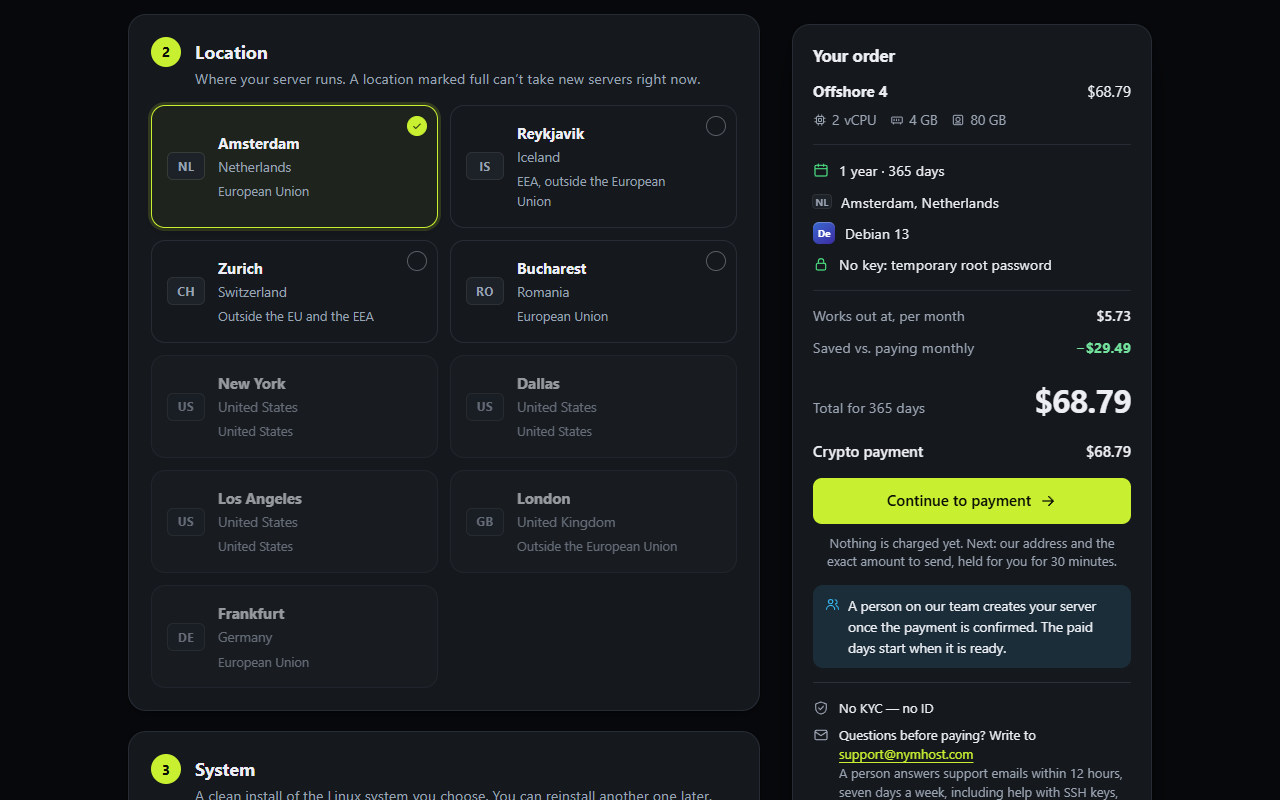
Crypto is the only way to pay for a Nymhost VPS, and USDT is the coin many traders already keep on an exchange. Send it on Tron (TRC-20), credited after 20 confirmations, about 2 minutes on the checkout, or on Ethereum (ERC-20), after 12, about 3 minutes, and send exactly the amount the checkout shows: if you withdraw from an exchange, make sure its fee does not come out of that amount. A withdrawal from an exchange where you passed KYC ties the payment to that account on a public chain, so the guide to paying for a VPS with USDT also covers paying from a wallet of your own; whatever the $25 minimum top-up leaves stays on a balance that never expires.
Global 4 meets Freqtrade's and Jesse's published minimum; Global 6 or Offshore 8 suits Hummingbot. If a pruned Bitcoin or Monero node will run next to the bot, the blockchain node VPS guide sizes the disk.
Amsterdam · Reykjavik · Zurich · Bucharest
$3.09/ month
3 mo $8.346 mo $14.8312 mo $25.95
$4.89/ month
3 mo $13.206 mo $23.4712 mo $41.07
$8.19/ month
3 mo $22.116 mo $39.3112 mo $68.79
$13.49/ month
3 mo $36.426 mo $64.7512 mo $113.31
$20.49/ month
3 mo $55.326 mo $98.3512 mo $172.11
New York · Dallas · Los Angeles · London · Amsterdam · Frankfurt
$3.19/ month
3 mo $8.616 mo $15.3112 mo $26.79
$6.39/ month
3 mo $17.256 mo $30.6712 mo $53.67
$9.59/ month
3 mo $25.896 mo $46.0312 mo $80.55
$19.19/ month
3 mo $51.816 mo $92.1112 mo $161.19
$29.39/ month
3 mo $79.356 mo $141.0712 mo $246.87
Prices in US dollars, checked on 18 November 2026. Paid from a crypto balance (minimum top-up $25); 3, 6 and 12 months save 10, 20 and 30%. Every plan: KVM, root over SSH, 1 dedicated IPv4 + /64 IPv6, shared 1 Gbit/s port.
No. 3Commas is a web platform: you link your exchange account with API keys, and its own page says a strategy runs 24/7 even when you are offline. There is no bot software for you to host. A VPS is for bots you run yourself, such as Freqtrade, Hummingbot or Jesse.
Freqtrade's documentation recommends a Linux cloud instance with at least 2 GB of RAM, 1 GB of disk and 2 vCPU. Global 4 (2 vCPU, 4 GB, 65 GB NVMe, $6.39 a month) meets it with room for Docker and logs. Run hyperopt on your own computer, since it uses every core.
No. Every plan is Linux only (Debian, Ubuntu, AlmaLinux or Rocky Linux), with no Windows and no RDP desktop, so MetaTrader and other Windows trading terminals are not a fit. Python and Docker bots such as Freqtrade, Hummingbot and Jesse run normally.
Nymhost does not publish latency figures, and many exchange APIs answer from a CDN edge, so a ping proves little. Rent a 1-month Global 2 ($3.19) in two cities, run the curl script on this page from each, and compare the median API request time before a longer rental.
No. The VPS account needs no identity, but the exchange does: Binance asks for identity verification before you can create an API key. The exchange also sees the VPS IP address on every call, and Nymhost's billing links your account number to that address and to the transaction ID of each payment.
Yes. Freqtrade's advanced setup page says each instance needs its own database file, and in Docker its own port mapping and Telegram configuration. Size the memory for all of them (2 GB per Freqtrade bot, 4 GB per Hummingbot instance), and remember that Binance counts request limits per IP, so the bots share one budget.