Offshore 1
$3.09/ month
3 mo $8.346 mo $14.8312 mo $25.95
- 1 vCPU
- 1 GB RAM
- 20 GB NVMe
- 2 TB traffic
Guide · Uses, plans and upkeep
A personal VPS is a Linux server you rent for yourself, run as root and, on Nymhost, pay for in crypto only. Here is what people actually do with one, which Nymhost plan each job needs, what it costs a month, and the work that stays yours.
Personal VPS in brief
A personal VPS is a virtual server rented for your own use: you log in as root over SSH and run what you choose. Common jobs and their plans: a WireGuard VPN on Offshore 1 ($3.09 a month); a website, Nextcloud or Vaultwarden on Global 2 ($3.19); a mail server on a 2 GB plan; a Tor relay, a pruned Bitcoin or Monero node or a trading bot; a small Minecraft server on Global 6 ($9.59). It is unmanaged: no plan includes backups, there is no Windows, and security updates are yours.
A personal VPS is a server you rent for yourself, with no customers to serve. On Nymhost it runs on KVM with its own kernel; you are root over SSH and get one dedicated IPv4 address and a routed IPv6 /64. A person builds it once your crypto payment confirms, never more than 1 hour later, and you rent it for 1, 3, 6 or 12 months: Offshore 1 comes to $2.16 a month on a 12-month rental. The anonymous VPS home page explains what the account keeps.
A subscription (a VPN app, a cloud drive, a hosted blog) runs the software for you, on its own terms. Your own VPS reverses that: you choose the software, the city and who holds the keys, and one server can do several jobs. In exchange you install, update and back up everything. If you would rather not touch a terminal, a ready-made service is the better buy.
Each use links to the Nymhost guide that covers it in depth, or to the self-hosted apps section of this page.
| Use | Plan to start with | Per month (1-month rental) | Difficulty | What you must manage |
|---|---|---|---|---|
| WireGuard VPN | Offshore 1 (1 vCPU, 1 GB) | $3.09 | Easy | One key pair per device, the 2 TB monthly traffic quota, system updates |
| Tor bridge or middle relay | Offshore 1 | $3.09 | Easy | The torrc file, a monthly traffic cap with AccountingMax, tor updates |
| Tor exit relay | Offshore 2 (2 GB), in Reykjavik, Zurich or Bucharest | $4.89 | Moderate | Exit policy, exit notice page, reverse DNS, a published contact address |
| Your own mail server | Offshore 2 or Global 2 (2 GB) | $4.89 / $3.19 | Hard | MX, SPF, DKIM and DMARC records, reverse DNS, blocklist checks, mailbox backups |
| Webmail | The VPS of your mail server | Nothing extra | Moderate | Web server, PHP and webmail updates, the HTTPS certificate |
| Send-only email from apps | Offshore 1 or Global 2 | $3.09 / $3.19 | Moderate | SPF, DKIM and DMARC for the sending domain; no bulk sending |
| Pruned Bitcoin node | Global 4 or Offshore 4; Offshore 8 with Lightning | $6.39 / $8.19; $13.49 | Moderate, hard with Lightning | Checking download signatures, upload volume, RPC kept local, the Lightning channel backup |
| Pruned Monero node | Offshore 8 or Global 8 (160 GB) | $13.49 / $19.19 | Moderate | Disk growth, RPC kept private |
| Crypto trading bot | Global 4 (2 vCPU, 4 GB) | $6.39 | Moderate | API keys without withdrawal rights, automatic restarts, the bot's trading risk |
| Static website | Offshore 1 | $3.09 | Easy | Web server, HTTPS certificate (automatic with Caddy), system updates |
| WordPress site | Global 2 (2 GB) | $3.19 | Moderate | PHP 8.3+ and MariaDB 10.11+, plugin and theme updates, database backups |
| Nextcloud personal cloud | Global 2 (40 GB) or Global 6 (120 GB) | $3.19 / $9.59 | Moderate | Debian 13 or Ubuntu 24.04, app updates, backups off the VPS, disk space |
| Vaultwarden password manager | Global 2 (2 GB) | $3.19 | Moderate | HTTPS reverse proxy, a copy of the data folder off the VPS, container updates |
| Docker development sandbox | Global 4 (2 vCPU, 4 GB) | $6.39 | Easy | Published ports that bypass ufw, old images filling the disk, reinstalls |
| Minecraft Java server | Global 6 (6 GB) or Offshore 8 (8 GB) | $9.59 / $13.49 | Moderate | Java, the 4 GB of memory in Mojang's start command, world backups, no extra DDoS protection |
A 12-month rental takes 30% off every price in this table. Cryptocurrency mining is forbidden on every plan.
Plan: Offshore 1 (1 vCPU, 1 GB RAM, 2 TB of outgoing traffic a month) · $3.09 a month · Difficulty: easy
A private exit for your phone and laptop on untrusted Wi-Fi, and one fixed address to reach your own machines. WireGuard runs inside the Linux kernel and needs little CPU, so the traffic quota decides the plan. You manage one key pair per device and the system updates. The WireGuard VPS guide covers the install, a phone QR code and leak tests.
Plan: Offshore 1 for a bridge or middle relay ($3.09), Offshore 2 for an exit ($4.89) · Difficulty: easy for a bridge, moderate for an exit
Exit relays, middle relays and bridges are allowed on every Nymhost VPS. An exit is where Tor traffic leaves for the open internet, from your address, so give it Reykjavik, Zurich or Bucharest and a VPS of its own. The Tor relay and exit guide has the torrc, the reduced exit policy and a monthly traffic cap for each plan.
Plan: Offshore 2 ($4.89) or Global 2 ($3.19), both with 2 GB of RAM · Difficulty: hard
Outbound port 25 is open on every Nymhost VPS, each with its own IPv4 address. The page on which VPS for an email server sizes Postfix and Dovecot for a few mailboxes at 2 GB. The install is the easy part; staying deliverable is the work: MX, SPF, DKIM and DMARC records, reverse DNS (ask support), blocklist checks and mailbox backups. Then follow the step-by-step mail server tutorial. Spam and bulk email are forbidden.
Plan: the VPS of your mail server · nothing extra a month · Difficulty: moderate
Roundcube's installation guide asks for an HTTP server that supports PHP and a database (MySQL, PostgreSQL or SQLite): more software to keep updated, served over HTTPS only. The webmail VPS guide builds it on top of the mail tutorial.
Plan: Offshore 1 ($3.09) or Global 2 ($3.19) · Difficulty: moderate
Cron alerts, a contact form or a WordPress password reset need no mailbox and no inbound mail, only a sender that accepts mail from the server itself, plus SPF, DKIM and DMARC records for the sending domain. The guide to sending email from a VPS compares direct delivery on port 25, an authenticated relay and a provider's API.
Nodes and bots run all day, so they belong on a server. Cryptocurrency mining is forbidden on every plan.
Plan: Global 4 ($6.39) or Offshore 4 ($8.19) for a pruned Bitcoin node; Offshore 8 ($13.49) with Lightning or for a pruned Monero node · Difficulty: moderate, hard with Lightning
The largest Nymhost disks are 400 GB (Global 24) and 320 GB (Offshore 16). The blockchain node VPS guide shows, with the sizes each project publishes, that pruned Bitcoin and Monero nodes fit and full Bitcoin or Ethereum nodes do not. You manage download signatures, upload volume, a local-only RPC and, with Lightning, a channel backup copied off the VPS after every change.
Plan: Global 4 (2 vCPU, 4 GB RAM) · $6.39 a month · Difficulty: moderate
Freqtrade recommends a Linux cloud instance with at least 2 GB of RAM, 1 GB of disk and 2 vCPU. Whitelist the VPS address on your exchange API key, give the key no withdrawal rights, and make the bot restart on its own. Windows trading terminals will not run. The guide to a VPS for a crypto trading bot covers Freqtrade and Hummingbot.
No other Nymhost guide covers these five uses. Each part gives the requirements the project publishes itself, read on 18 November 2026, and the plan that meets them.
Plan: Offshore 1 ($3.09) for a static site, Global 2 ($3.19) for WordPress · Difficulty: easy for a static site, moderate for WordPress
A static site needs only a web server. Caddy gets TLS certificates for your sites and renews them on its own, once the domain's A or AAAA record points to the server and ports 80 and 443 are open. WordPress recommends PHP 8.3 or greater, MariaDB 10.11 or greater or MySQL 8.4 or greater, HTTPS, and Apache or Nginx. Debian 13 and Ubuntu 24.04 meet that from their own packages; Debian 12 and Ubuntu 22.04 do not (table below). Plugin updates and database backups are yours.
Plan: Global 2 (40 GB NVMe, $3.19) for documents, Global 6 (120 GB, $9.59) for a photo library · Difficulty: moderate
The Nextcloud 36 administration manual asks for at least 128 MB of RAM per process and recommends 512 MB per process, with at least 256 MB for the built-in updater. It lists Debian 13 and Ubuntu 24.04 LTS as supported systems, PHP 8.3 to 8.5, and MariaDB, MySQL or PostgreSQL; SQLite only for testing and minimal instances. Disk space is the real limit: the largest Nymhost disk is 400 GB. No plan includes backups, so sync a second copy to a machine you own.
Plan: Global 2 (2 GB RAM) · $3.19 a month · Difficulty: moderate
Vaultwarden is an alternative server for the Bitwarden apps, written in Rust for self-hosting where the official, heavier server does not fit. The official Bitwarden server asks for 2 GB of RAM at minimum; Vaultwarden publishes no figure, and Global 2 meets even the official minimum. Its wiki says the web vault needs HTTPS, because most browsers offer its crypto functions only over HTTPS, and recommends a reverse proxy in front. Everything lives in a data folder, and the wiki marks db.sqlite3 and attachments as required in a backup. Vaultwarden is not associated with Bitwarden, Inc.
Plan: Global 4 (2 vCPU, 4 GB RAM, 65 GB) · $6.39 a month · Difficulty: easy
A place to test code, learn Docker or try self-hosted apps away from your own computer. Docker Engine supports Debian 13 and 12 and Ubuntu 24.04 and 22.04. Its documentation warns that container ports you publish bypass ufw and firewalld rules, so publish test services on 127.0.0.1 only. If you break the system, request a reinstall from the dashboard; it erases the disk.
Plan: Global 6 (6 GB RAM, $9.59) or Offshore 8 (8 GB, $13.49) · Difficulty: moderate
Mojang's download page starts the Minecraft Java Edition server with java -Xmx4G -Xms4G -jar minecraft_server.<version>.jar nogui, which gives Java 4 GB of memory from the start. The system and Java itself need memory on top of that, so start at 6 GB. You need a compatible Java, and downloading the server means accepting the Minecraft End User License Agreement. For a public server: the vCPU are shared cores, no DDoS protection is promised beyond the default filtering of the data center network, and world backups are yours.
| System | PHP | MariaDB | WordPress (recommends PHP 8.3+, MariaDB 10.11+) | Nextcloud 36 (PHP 8.3 to 8.5) | Docker Engine |
|---|---|---|---|---|---|
| Debian 13 | 8.4 | 11.8 | Meets it | Listed as supported | Supported |
| Debian 12 | 8.2 | 10.11 | PHP below 8.3 | Not listed; PHP 8.2 not supported | Supported |
| Ubuntu 24.04 LTS | 8.3 | 10.11 | Meets it | Listed as supported | Supported |
| Ubuntu 22.04 LTS | 8.1 | 10.6 | PHP and MariaDB below | Not listed; PHP 8.1 not supported | Supported |
On the older systems you can add a newer PHP from a third-party repository, but tracking its updates is then up to you. Choosing Debian 13 or Ubuntu 24.04 at checkout avoids it.
One VPS can do several of these jobs. Add up what each needs: for example a WireGuard VPN, a static site and Vaultwarden on Global 2, or a Docker sandbox and a trading bot on Global 4. Three rules:
A personal VPS is unmanaged. What stays your job, and what a person at Nymhost does:
Nobody from support will ever ask for your account number, your root password or your private SSH key.
Five steps for every use above. The commands below are for Debian and Ubuntu, run as root.
Add your public key at checkout and password login stays off. Otherwise, change the temporary root password shown in your dashboard at first login.
Ubuntu Server turns on automatic security updates by default. On Debian, install unattended-upgrades; the Debian wiki says its default configuration installs security updates, not new features. Containers and plugins need their own updates.
ufw starts disabled. Allow SSH first, then the ports your services need, then enable it. Ports published by Docker bypass these rules.
Run each service under its own ordinary user, so a flaw in one app does not hand over the whole server.
Copy databases, mailboxes and files to another machine on a schedule. For SQLite, the Vaultwarden wiki recommends the .backup command of sqlite3, safe while the database is in use.
apt update && apt full-upgrade -y
apt install -y unattended-upgrades ufw sqlite3
dpkg-reconfigure unattended-upgrades

ufw allow 22
# only if the VPS serves a website:
ufw allow 80
ufw allow 443
ufw enable
ufw status verbose

# Vaultwarden: copy the database while it runs, then move the copy off the VPS
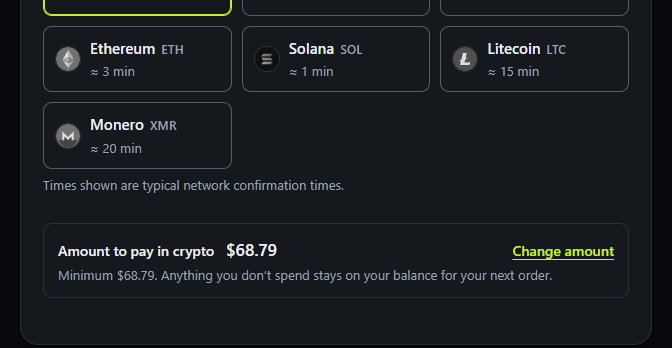
sqlite3 /path/to/data/db.sqlite3 ".backup '/root/vaultwarden-db.sqlite3'"Crypto is the only way to pay, so nothing on the account needs your name. You sign in with a 16-digit account number; an email address is optional, and there is no ID, selfie, card or phone number. You top up a balance in crypto, $25 at minimum, and every VPS you rent is paid from it, so one balance can carry a VPN in Zurich and a Nextcloud server in Amsterdam; credit never expires, and $25 pays a 6-month Offshore 1 ($14.83) with $10.17 left for the next job. Bitcoin is credited after 2 confirmations, about 20 minutes on the checkout, and the page on every coin you can top up with lists the others; pay with Monero so that a block explorer shows neither the sender nor the amount. The no KYC VPS page explains what that covers.
With no email on file, a lost account number cannot be recovered. No KYC is not invisibility: a Bitcoin or USDT payment stays on its blockchain, billing links your account number to your orders and VPS addresses, and your traffic crosses the data center network.
Offshore plans run in Amsterdam, Reykjavik, Zurich and Bucharest; Global plans in New York, Dallas, Los Angeles, London, Amsterdam and Frankfurt. Compare every plan and city on the Nymhost pricing page, or read how to buy a VPS with crypto.
Amsterdam · Reykjavik · Zurich · Bucharest
$3.09/ month
3 mo $8.346 mo $14.8312 mo $25.95
$4.89/ month
3 mo $13.206 mo $23.4712 mo $41.07
$8.19/ month
3 mo $22.116 mo $39.3112 mo $68.79
$13.49/ month
3 mo $36.426 mo $64.7512 mo $113.31
$20.49/ month
3 mo $55.326 mo $98.3512 mo $172.11
New York · Dallas · Los Angeles · London · Amsterdam · Frankfurt
$3.19/ month
3 mo $8.616 mo $15.3112 mo $26.79
$6.39/ month
3 mo $17.256 mo $30.6712 mo $53.67
$9.59/ month
3 mo $25.896 mo $46.0312 mo $80.55
$19.19/ month
3 mo $51.816 mo $92.1112 mo $161.19
$29.39/ month
3 mo $79.356 mo $141.0712 mo $246.87
Prices in US dollars, checked on 18 November 2026. Paid from a crypto balance (minimum top-up $25); 3, 6 and 12 months save 10, 20 and 30%. Every plan: KVM, root over SSH, 1 dedicated IPv4 + /64 IPv6, shared 1 Gbit/s port.
Most often a private VPN, a website, Nextcloud, a password manager, a mail server, a Tor relay, a blockchain node, a trading bot, a development sandbox or a small game server. The table at the top of this page gives the plan and monthly price for each, from $3.09 on Offshore 1.
If you will look after it. It costs from $3.09 a month, or $2.16 a month on a 12-month Offshore 1 rental, and one server can do several jobs. Updates, backups and repairs are yours; if you want none of that, a ready-made service suits you better.
As much as its heaviest app, or the sum of several. WireGuard runs on 1 GB; Nextcloud recommends 512 MB per process; the official Bitwarden server and Freqtrade ask for 2 GB; Mojang's start command gives the Minecraft server 4 GB. Nymhost plans go from 1 GB to 24 GB.
Some: SSH, a package manager and configuration files. Support answers within 12 hours, seven days a week, and helps with SSH keys, reinstalls and firewall rules, but it does not install or run your apps. The guides linked from this page give the commands step by step.
For one person, often yes: WireGuard on Offshore 1 gives you a private exit in the city you pick. But only you use that exit address, so sites can link your visits together, and the data center still sees the traffic leaving the VPS. For several hops, use Tor.
No. Nymhost VPS run Linux only, with no Windows and no RDP. Many game servers have a Linux version: Mojang's page says the Bedrock Edition dedicated server runs on Windows or Linux, and the Java Edition server needs a compatible Java.
If your balance cannot cover the renewal, the VPS stops when its paid time runs out, and the disk is kept for 7 days before it is wiped. Nymhost keeps no backups, so copy your data off first.